Talk to Maggie hands-free with a wake word
Goal
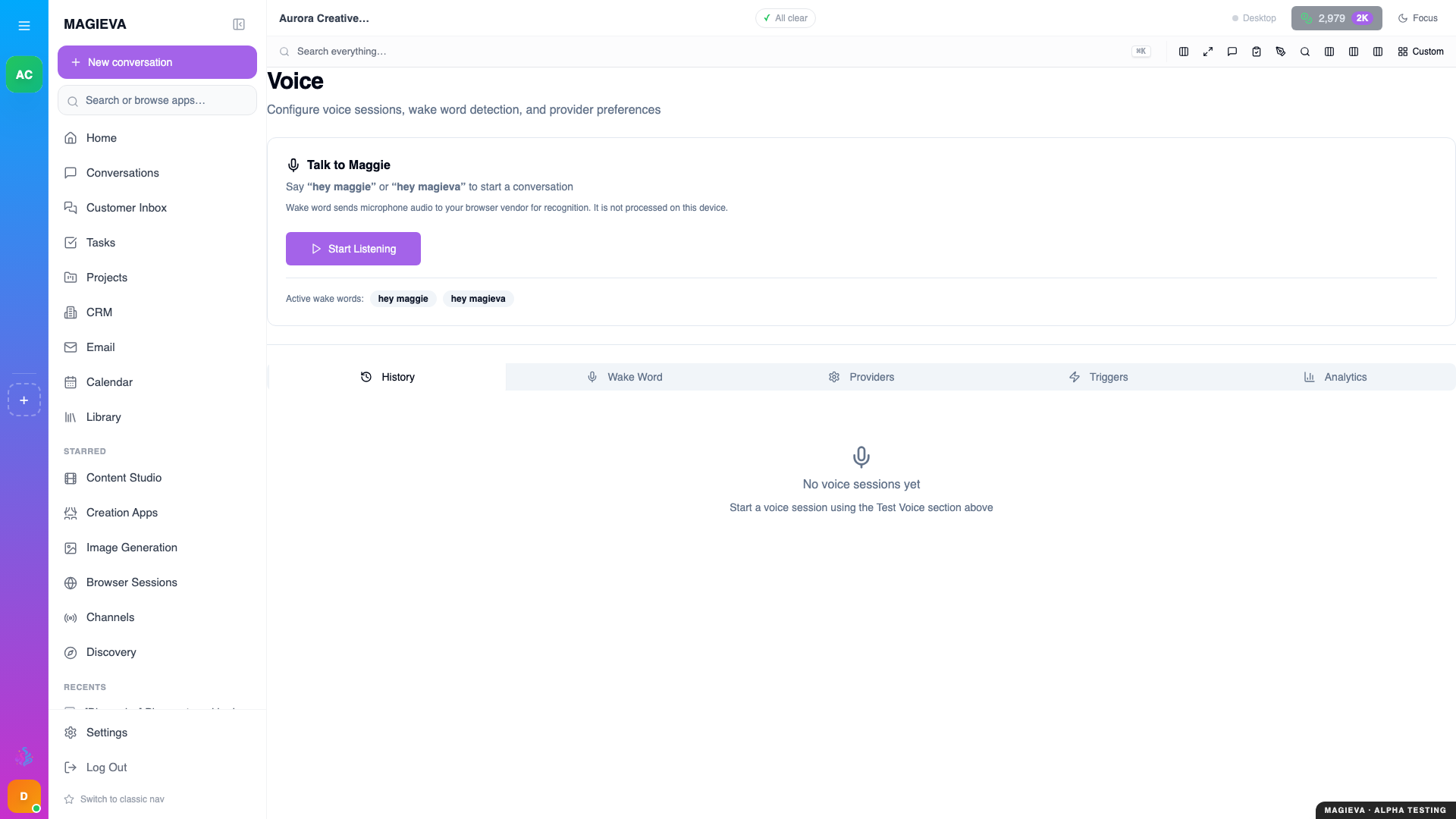
Captured 2026-09-14 on staging.magieva.com at /voice, 1920×1080, in the documentation organization.
New in release 26.37
Live since September 10, 2026. Wake-word listening in browsers without built-in speech recognition, and the reliability fixes to dismissal phrases, shipped with this release. A wake word in Magieva Desktop is not yet available.
Say a phrase, speak your request, and hear the answer — on any page of Magieva, without touching the keyboard.
Before you start
- Your browser needs permission to use the microphone. Allow it when asked.
- Keep the Magieva tab open; listening stops when the tab is closed.
Steps
- In the bar at the top of the app, turn on the wake-word toggle. The indicator shows Listening for wake word....
- Say "Hey Maggie" (or "Hey Magieva"), pause briefly, then say what you want: "Hey Maggie — what's on my calendar this afternoon?"
- The indicator changes to Wake Word Detected! and then Listening... while you speak. Your words go to the conversation for the page you are on, and Maggie answers — aloud, if voice output is on in Voice Settings.
- Turn the toggle off when you are done.
Steps — tune it
Open the Voice page and choose Wake Words:
- Active wake words — the phrases that get her attention. Add your own with Add a new wake word....
- Trigger Phrases — map a phrase to an action, so "Hey Maggie, morning brief" runs the same thing every time.
- Detection Sensitivity — raise it in a quiet room, lower it in an open office.
- Detection Log — what was heard and when, for when you are sure you said it and nothing happened.
Which browsers
- Chrome and Edge listen using the browser's own speech recognition. Nothing leaves your machine until a wake word is heard.
- Other browsers have no built-in continuous recognition. From release 26.37 they fall back to Magieva's own transcription: short clips of audio are transcribed by Magieva while the toggle is on. This path works in every browser, and because Magieva does the transcription it uses Intelligence Tokens while listening. Turn the toggle off when you do not need it.
- Magieva Desktop does not yet offer a wake word. Its voice commands are push-to-talk and are being switched on progressively.
Verify it worked
Say the wake word and nothing else. The indicator should change to Wake Word Detected! and the Detection Log on the Voice page shows the detection.
Troubleshooting
| Problem | What to do |
|---|---|
| The toggle turns on but nothing is ever detected | Check the microphone permission in your browser's site settings, and that the right microphone is selected. Then look at the Detection Log. |
| She hears the wake word but cuts off my request | Pause for a moment after the wake word before you start speaking. |
| She keeps stopping mid-sentence | A word in your speech matched a dismissal phrase. Release 26.37 tightened this matching to whole phrases; if it still happens, note the phrase and adjust it under Wake Words. |
| "This browser cannot listen for wake words" | You are on a version before release 26.37. Use Chrome or Edge, or update. |
Related
- Talking to Maggie
- Understanding Intelligence Tokens