Give a companion an email address
Goal
New in release 26.37
Live since September 10, 2026. Mail to a companion is routed today; sending mail as a companion is being introduced separately and is not yet switched on.
Route mail sent to an address you own — support@yourcompany.com, say — straight to a companion, so it reads and acts on that mail inside Magieva under the same rules as everything else it does.
Before you start
- You need administrator rights in the organization.
- A mailbox that receives mail for the address must already be connected to Magieva (see Connecting your tools). Magieva does not host the mailbox; it reads the connected one.
- The companion must already exist.
Steps
- Open Settings → Companion Email.
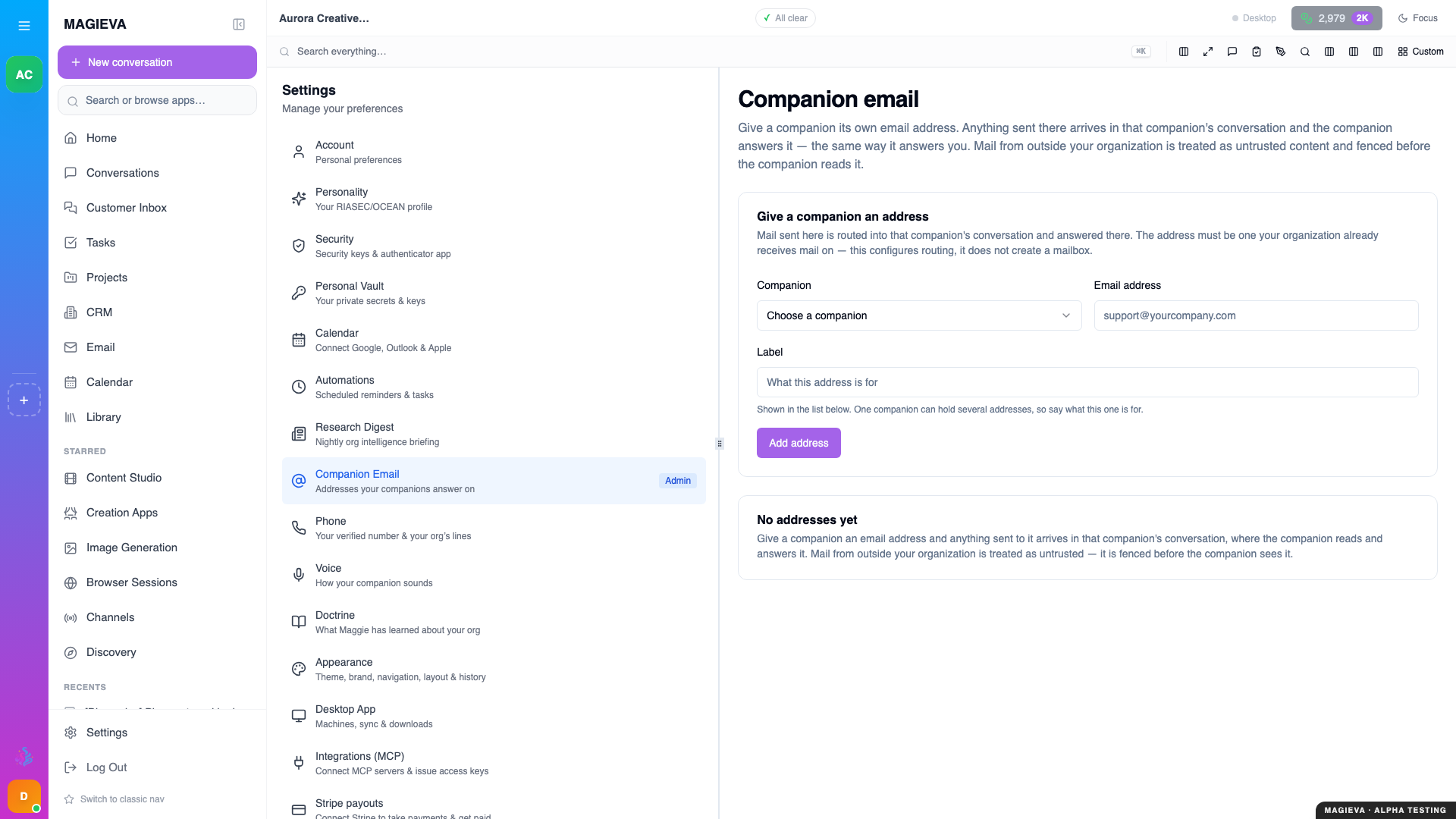
Captured 2026-09-14 on staging.magieva.com at /settings/companion-email, 1920×1080, in the documentation organization.
- Choose Give a companion an address.
- Pick the companion.
- Enter the email address — one at a domain you control, whose mail lands in a connected mailbox.
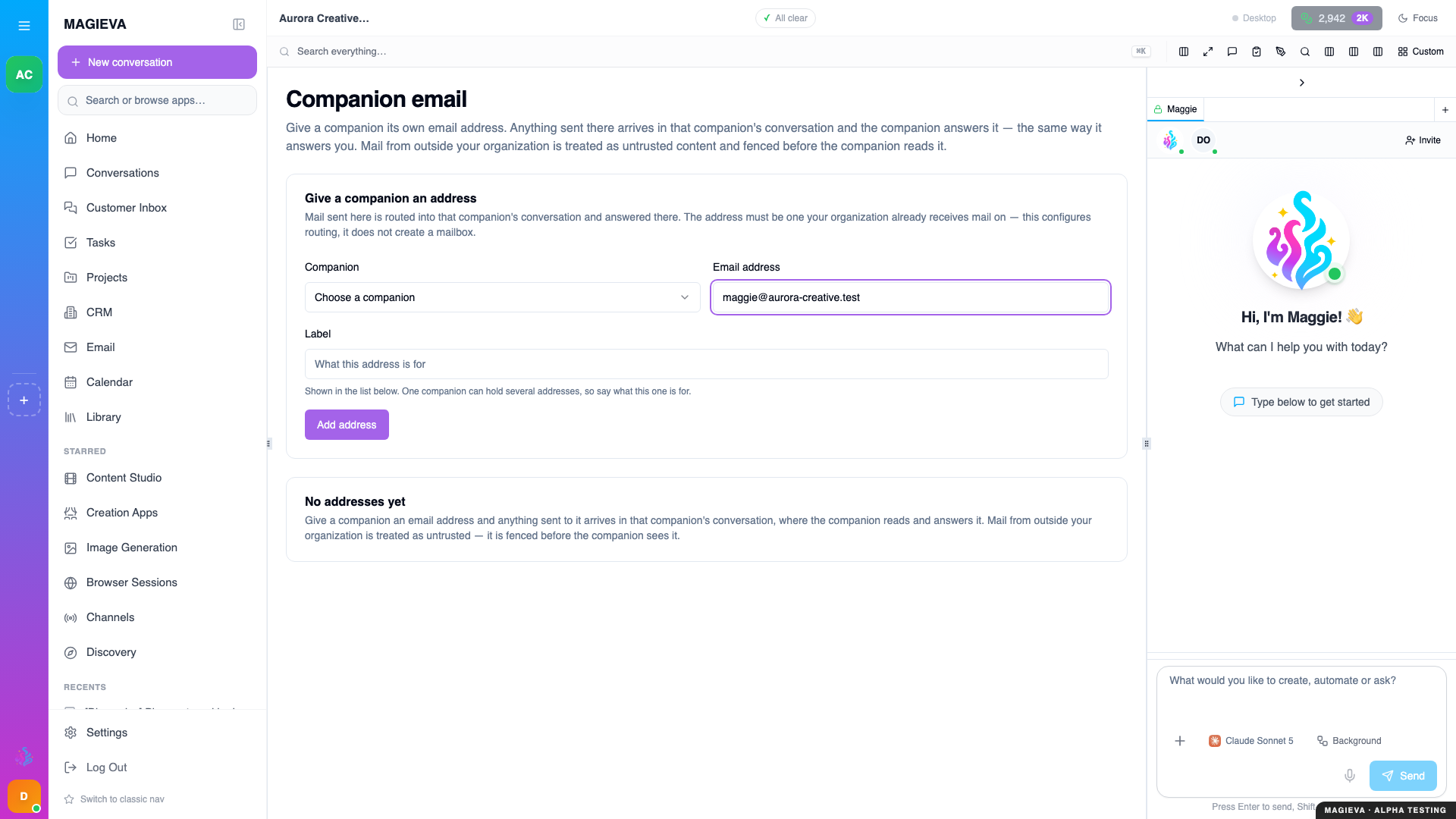
Captured 2026-09-14 on staging.magieva.com at /settings/companion-email, 1920×1080, in the documentation organization.
- Add a short label describing what the address is for ("Inbound support", "Vendor invoices").
- Save. The address shows as Active.
From now on, a message to that address opens or continues a conversation with that companion. The sender is matched against your contacts, attachments are filed in the Library, and the companion applies your automation rules and asks you before doing anything that needs approval.
Pausing
Set an address to Paused to stop routing without deleting it. Mail still arrives in the mailbox as normal; the companion simply stops picking it up.
What the companion does with the mail
- Reads it in context: the sender's history, the thread, your knowledge bases.
- Replies inside the conversation in Magieva. Sending the reply by email in the companion's name is the next step and is not yet enabled; until then, you forward or send it yourself.
- Never acts on instructions embedded in the mail itself without your say-so — inbound mail is treated as untrusted content.
Verify it worked
Send a test message to the address from an outside account. Within a few minutes a conversation with that companion appears containing the message, and the address's row shows recent activity.
Troubleshooting
| Problem | What to do |
|---|---|
| Mail arrives in the mailbox but no conversation appears | Confirm the connected mailbox is the one receiving this address, and that the address is Active, not Paused. |
| The companion replied but the sender did not receive anything | Expected today: replies stay in Magieva until sending-as-companion is enabled. Send the reply from the mailbox yourself. |
| "No addresses yet" after saving | Refresh; if the row is still missing, you may not have administrator rights in this organization. |
Related
- Connecting your tools
- Automation Rules Guide
- A companion that goes first