Follow what is happening across your organization
Goal
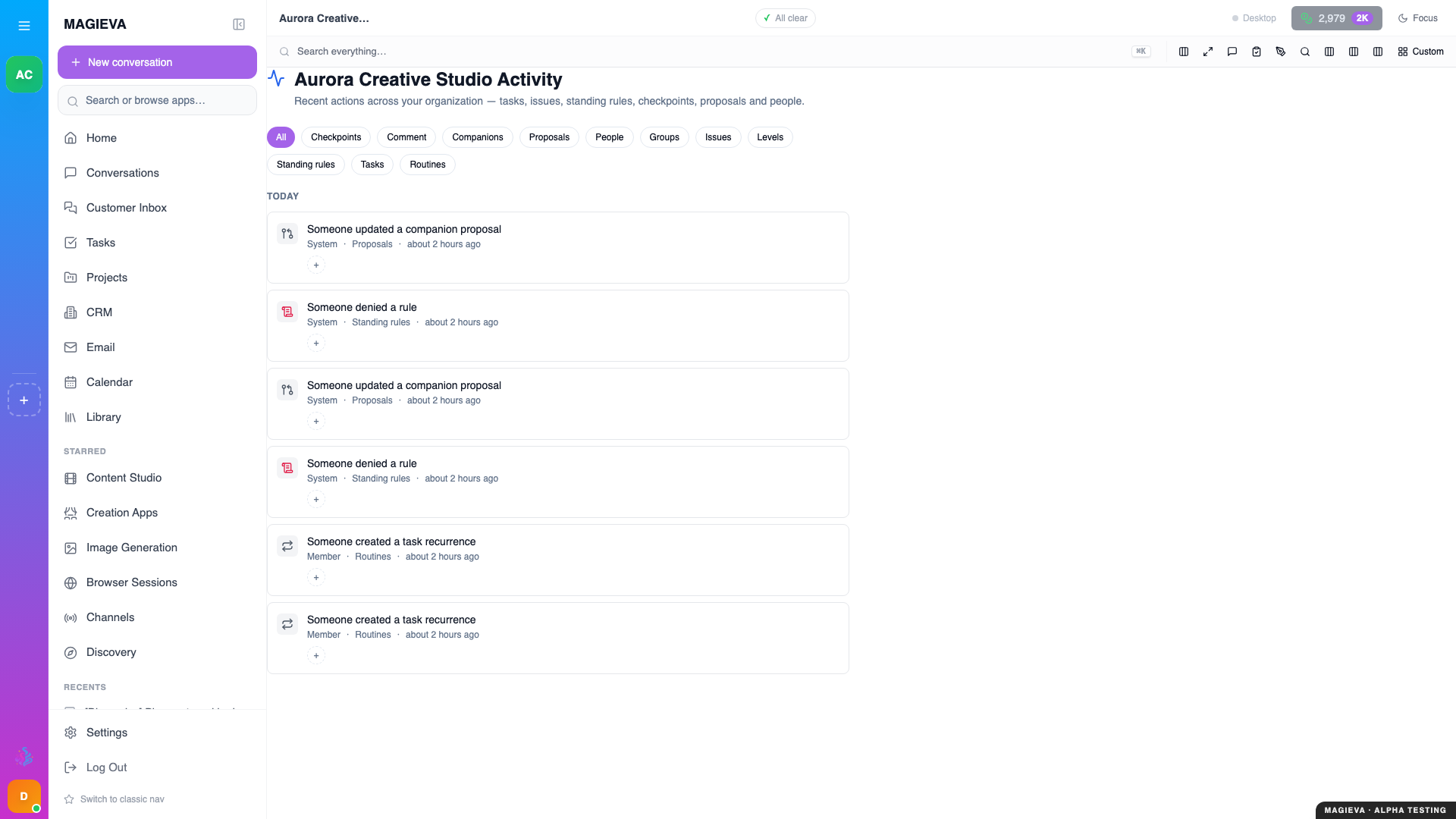
Captured 2026-09-14 on staging.magieva.com at /activity, 1920×1080, in the documentation organization.
New in release 26.37
Live since September 10, 2026. The organization activity page shipped with this release.
See one chronological record of what people, companions and rules have done across your organization, filter it to the kinds of thing you care about, and read back as far as you need.
Before you start
- Any member can open the page. What you see on it is limited to what you already have access to (see "Who sees what" below).
Steps
- Open Org Activity from the sidebar, alongside Organization and Permissions.
- Read the list. Each entry names who acted — a person, a companion, or the system — what happened, and when. Entries about a task, project or file link to it.
- Narrow the page with the kind filters at the top: Checkpoints, Companions, Proposals, People, Groups, Issues, Standing rules, Tasks and Routines. Select several to combine them; All clears the filter.
- Choose Load more at the bottom to page back through older entries.
Who sees what
Everyone opens the same page, but not the same rows:
- An entry about a project, task or file appears only for people who already have access to that project, task or file.
- Organization-level entries — a standing rule blocking an action, a group being created, a person joining — are visible to every member.
So the page never becomes a way around a share you did not receive.
Verify it worked
Do something visible — create a group, or let a task finish — and it appears at the top of the feed within moments. If a filter is active, the entry only shows when it matches.
Troubleshooting
| Problem | What to do |
|---|---|
| "No activity of this kind" | Nothing matching the selected filters exists yet in the range loaded. Widen the filter or choose Load more. |
| An entry I expected is missing | You may not have access to the underlying project, task or file. Ask its owner to share it with you. |
| "Failed to load activity" | Refresh. If it persists, sign out and back in — your session may have expired. |
Related
- Groups and sharing
- Set up routines and watches
- A companion that goes first