Set up routines and watches, with spend limits
Goal
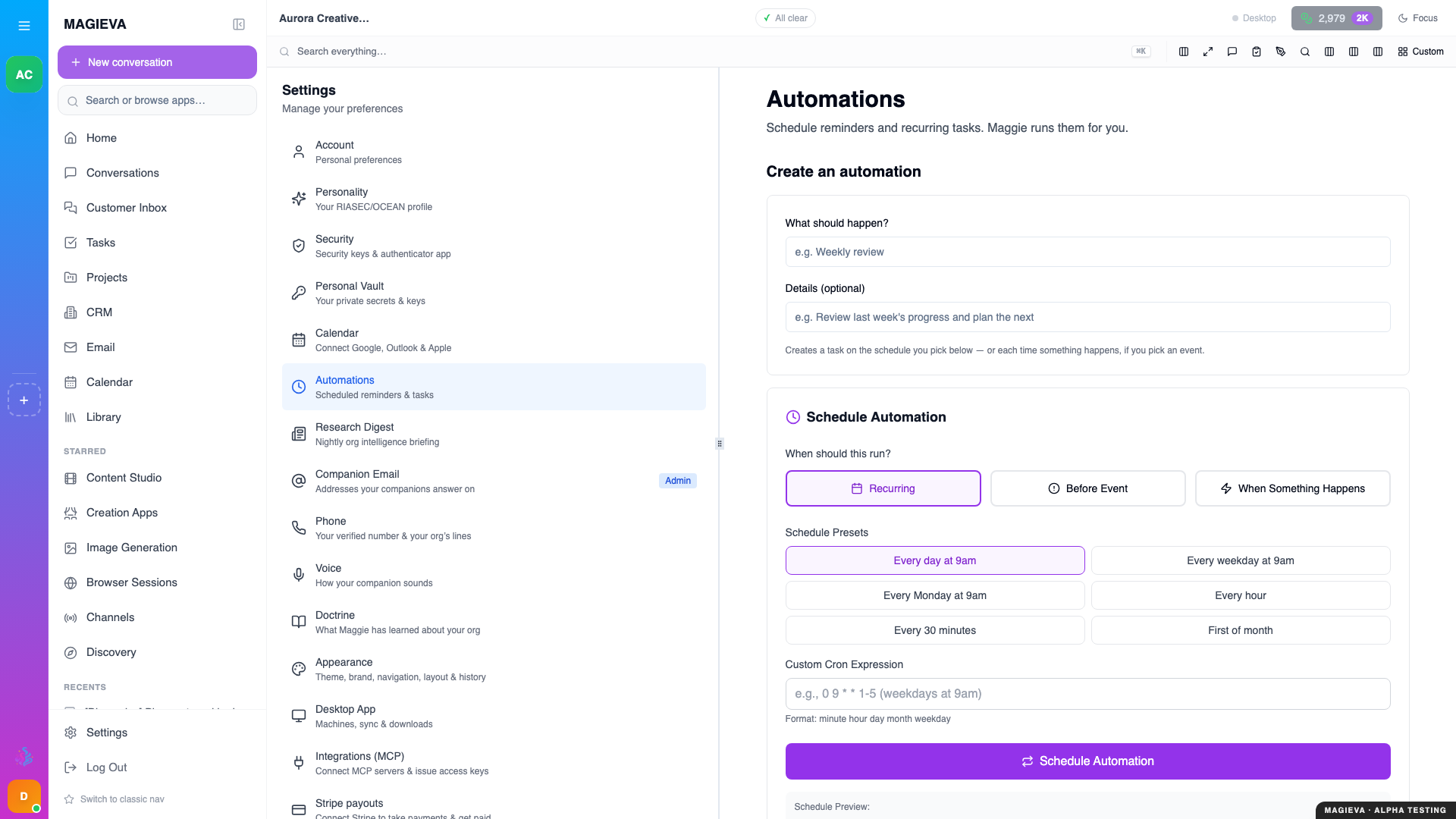
Captured 2026-09-14 on staging.magieva.com at /settings/automations, 1920×1080, in the documentation organization.
New in release 26.37
Live since September 10, 2026. Watches, event-triggered routines, the "Keep this as a routine?" offer, liveness indicators and unattended spend ceilings shipped with this release. Reaching you by text message, off the app, is switched on progressively and only with your consent.
Have Maggie do recurring work without being asked each time, tell you when something you care about changes, and cap what any of that can spend.
Before you start
- Routines run inside a conversation and post their results there.
- Everything a routine does draws on the organization's Intelligence Token balance, under the ceilings described below.
Steps — create a routine from chat
- Ask in the conversation where you want the results, in plain words: "Every weekday at 8am, summarise yesterday's escalations."
- Maggie confirms the schedule and the routine appears on the conversation's Routines tab.
If you keep asking for the same thing by hand, Maggie offers to make it a routine: a card titled Keep this as a routine? with a suggested name and schedule. Accept, adjust, or decline.
Steps — set a watch
Ask for a condition rather than a schedule: "Tell me when the churn dashboard goes above 4%." A Watch checks on its own cadence. The first check sets the baseline ("No reading yet — the first check sets the baseline"); after that it tells you when the condition trips, not on every check.
Routines can also be triggered by events — a new order, a missed call, a review received, an inbound email or text — and, where you have verified a phone number and agreed to be texted, reach you by text message in your own timezone.
Steps — manage routines
Open the conversation's task panel and choose Routines (on a phone, use the panel button). For each routine you can see:
- Whether it Asks before acting or Acts on its own.
- The last reading, the run history, and — while a run is in flight — "Working… the outcome is posted into this conversation when it finishes."
- A health line. Not evaluated on time or Never checked since it was created means the routine is not being run as scheduled and is worth a look; it is shown so a silent routine is never mistaken for a quiet one.
- Test run, to fire it now and see the result in the conversation.
- Delete.
At the top of the tab, Mute all routines in this organization pauses everything at once; the panel shows All routines muted until you unmute.
Steps — set spend limits
In the tab's settings:
- Unattended ceiling (tokens / period) — the organization-wide budget for
work nobody asked for in the moment: routines, watches and anything Maggie
proposes on her own. It is separate from, and lower than, what people spend
directly.
0means no ceiling of its own. - This routine's ceiling (tokens / period) — a tighter cap for one routine.
0means only the organization ceiling applies. - Weekly "what I'm watching" digest — one message a week listing your active watches and their state.
A routine that reaches its ceiling shows Over spend ceiling and pauses until the period resets or the ceiling is raised. Nothing is billed past it.
Verify it worked
Use Test run. Within a few seconds a run appears in the history and its output is posted into the conversation.
Troubleshooting
| Problem | What to do |
|---|---|
| "Paused — no scheduled runs" | The routine is muted or has no schedule. Unmute it, or restate the schedule in chat. |
| "Paused — signals are ignored" | An event-triggered routine is muted; events still arrive but are not acted on. |
| "Stopped for approval" | The routine reached a step that needs a person's decision, as configured. Approve or decline in the conversation. |
| "Over spend ceiling" | Raise the routine's or the organization's unattended ceiling, or wait for the period to reset. |
| "Never checked since it was created" | Nothing has run it yet. If this persists after a Test run, contact support. |
Related
- A companion that goes first
- Understanding Intelligence Tokens
- Automation Rules Guide